How to Measure and Optimize UI/UX for Smarter, Conversion-Driven Website Updates
How to Measure and Optimize UI/UX for Smarter, Conversion-Driven Website Updates

In today’s digital landscape, your website is more than a virtual storefront—it’s an experience that shapes how users perceive your brand and, ultimately, whether they convert. A well-crafted user interface (UI) and user experience (UX) can transform casual visitors into loyal customers, boosting conversion rates by as much as 400% when done right. But how do you know what’s working, what’s not, and how to improve? At CODO, we believe the answer lies in a strategic, data-driven approach to measuring and optimizing UI/UX.
In this article, we’ll guide you through a smart and effective process to measure your website’s UI/UX performance and implement updates that drive conversions. Drawing on proven strategies and real-world insights, we’ll show you how CODO can partner with you to elevate your website’s potential. Let’s dive in!
Step 1: Define Clear Conversion Goals

Before you can optimize, you need to know what success looks like. Are you aiming to increase form submissions, product purchases, or newsletter signups? Each goal requires specific UI/UX considerations. For example, a case study on Expedia’s hotel booking process showed that simplifying the mobile search results page led to a 98% increase in mobile orders. The lesson? Clarity in purpose drives targeted improvements.
CODO’s Approach: We start by aligning with your business objectives, mapping out key conversion funnels, and identifying the user actions that matter most. This ensures every UI/UX update is purpose-driven.
Step 2: Measure User Behavior with Data
Data is your compass for UI/UX optimization. Tools like heatmaps, click maps, and session recordings reveal how users interact with your site. For instance, a study by Unbounce found that placing a call-to-action (CTA) above the fold increased conversions by 41%. Such insights come from analyzing where users click, scroll, or drop off.
Key Metrics to Track: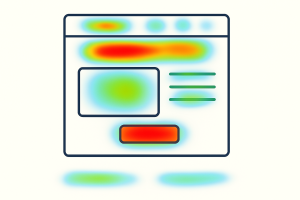
- Bounce Rate: A high bounce rate may signal a disconnect between user expectations and your site’s design.
- Time on Page: Longer engagement often correlates with intuitive navigation and compelling content.
- Conversion Rate: The percentage of visitors completing your desired action.
- Click-Through Rate (CTR): Measures how often users engage with CTAs or links.
CODO’s Expertise: Our team at CODO leverages advanced analytics to uncover user behavior patterns. We translate raw data into actionable insights, ensuring your UI/UX updates are grounded in evidence.
Step 3: Conduct Usability Testing
Usability testing is like holding a mirror to your website—it shows you what users experience. A case study on FitBit’s app redesign used guerilla usability testing to identify pain points, such as unclear icons, which were then replaced with more intuitive designs. The result? A smoother user journey and higher engagement.
How to Test:
- Task Analysis: Ask users to complete specific tasks (e.g., finding a product) and observe where they struggle.
- A/B Testing: Compare two versions of a page to see which performs better. For example, SEOMoz achieved a 52% sales increase by testing new signup pages based on user feedback.
- User Feedback: Surveys or interviews can uncover qualitative insights about user frustrations or delights.
CODO’s Role: We design and execute tailored usability tests, ensuring your website aligns with user expectations. Our iterative approach refines designs based on real user input.
Step 4: Optimize with Behavioral Science
Great UI/UX taps into human psychology. Principles like reciprocation (offering value to encourage action) and social proof (showcasing reviews or testimonials) can nudge users toward conversion. A case study on Airbnb’s platform highlights how displaying user reviews and ratings builds trust, driving bookings. Similarly, CODO helped a client streamline their checkout process by adding trust badges and clear CTAs, reducing cart abandonment by 30%.
Actionable Ideas:
- Simplify Navigation: A clean, intuitive menu reduces cognitive load. Pinterest’s fast-loading, organized interface is a prime example of this.
- Use Color Psychology: A red “Buy Now” button can evoke urgency, as seen in MailChimp’s strategic use of yellow for CTAs.
- Microcopy Matters: Clear, persuasive snippets (e.g., “Join 10,000+ happy users”) guide users to act.
CODO’s Strength: We blend behavioral science with design expertise to create interfaces that resonate with users and drive results.
Step 5: Iterate and Monitor
UI/UX optimization is not a one-and-done task—it’s a cycle. After implementing changes, monitor key metrics to assess impact. For example, Spotify’s iterative approach to personalization (e.g., Discover Weekly playlists) keeps users engaged by constantly refining the experience based on data.
CODO’s Commitment: We partner with you for ongoing analysis and refinement, ensuring your website evolves with user needs and market trends.
Why Partner with CODO?
At CODO, we don’t just design websites—we craft experiences that convert. Our data-driven, user-centric approach ensures every update is strategic and impactful. From analytics to usability testing to behavioral design, we bring the expertise to elevate your website’s performance.
Ready to boost your conversions with smarter UI/UX? Contact CODO today to start transforming your website into a conversion powerhouse.